
Disconnect Manychat from Instagram
To use Kittychat with Instagram, Manychat has to be disconnected from your Instagram account.
Before you disconnect Manychat, set your keywords and messages up in Kittychat first and apply them to All posts. Then you can connect Kittychat the moment Manychat is removed, and your DM automation keeps running without a gap.
Remove Manychat from Facebook Business Integrations
- Log in to Facebook.
- Go to the Facebook Business Integrations settings page. https://www.facebook.com/settings?tab=business_tools&ref=settings
- You will find Manychat in the list, as shown below. Click Remove to delete it.
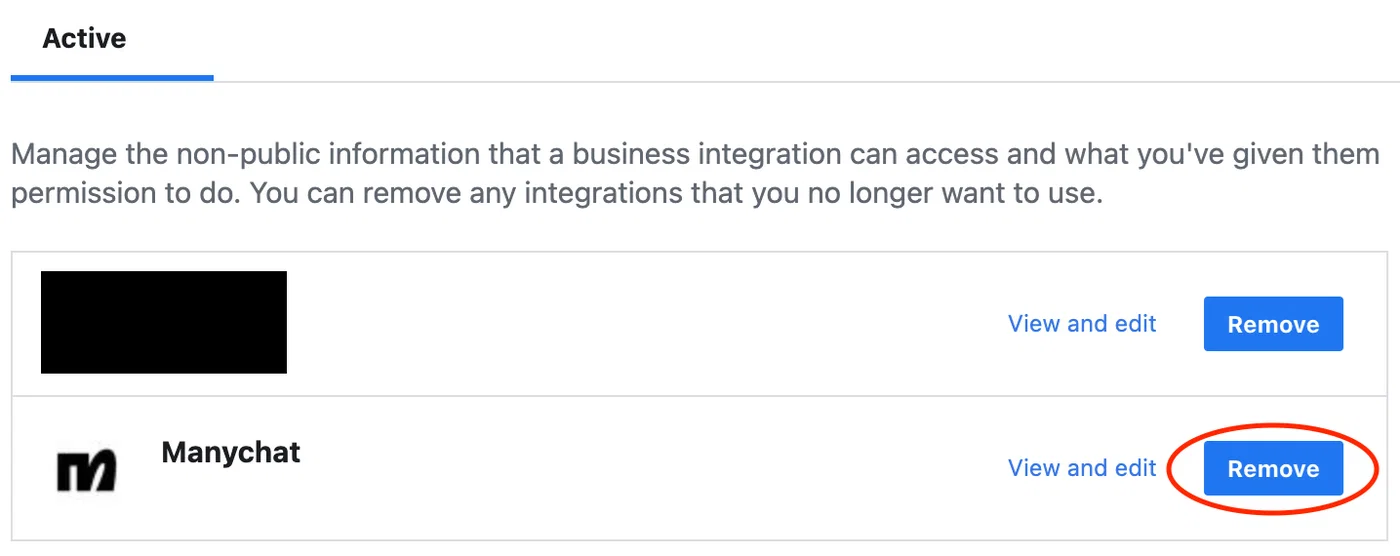
If you cannot find Manychat on the Business Integrations screen, disconnect it straight from Instagram using one of the methods below.
Disconnect on a computer
- Go to the Instagram website and log in.
- Click your profile icon in the top right → Settings.
- Choose Apps and Websites from the left menu.
- On the Active tab, find the app and click Remove.
Disconnect on mobile
-
Open the Instagram app
→ Tap your profile icon at the bottom right. -
Go to Settings and activity
→ Tap ≡ (the menu) in the top right → choose Settings and activity. -
Manage apps and websites
→ Scroll down → tap Apps and Websites. -
Check the connected apps
The Active tab lists every third-party app currently connected to your Instagram account. -
Remove the app
→ Select the app → tap Remove → tap Remove again in the confirmation popup.