
Instagram automation

For influencers
Instagram marketing + automation tools

Spread your posts more efficiently and grow your followers.

A Kittychat influencer filming content in front of a camera
Boost conversions

1. Share clickable links

The popular automation: “Comment ooo and I’ll DM you the link right away.”

  • Send clickable link resources by DM through auto-DMs.
  • Online shops can use this link to drive customers to the purchase page.
  • Shorten the time and steps to checkout to lower drop-off and raise conversions.
  • You can also share a specific file uploaded to Google Drive, or drive traffic to a form page to collect lead information.
Increase reach

2. Spread your posts further

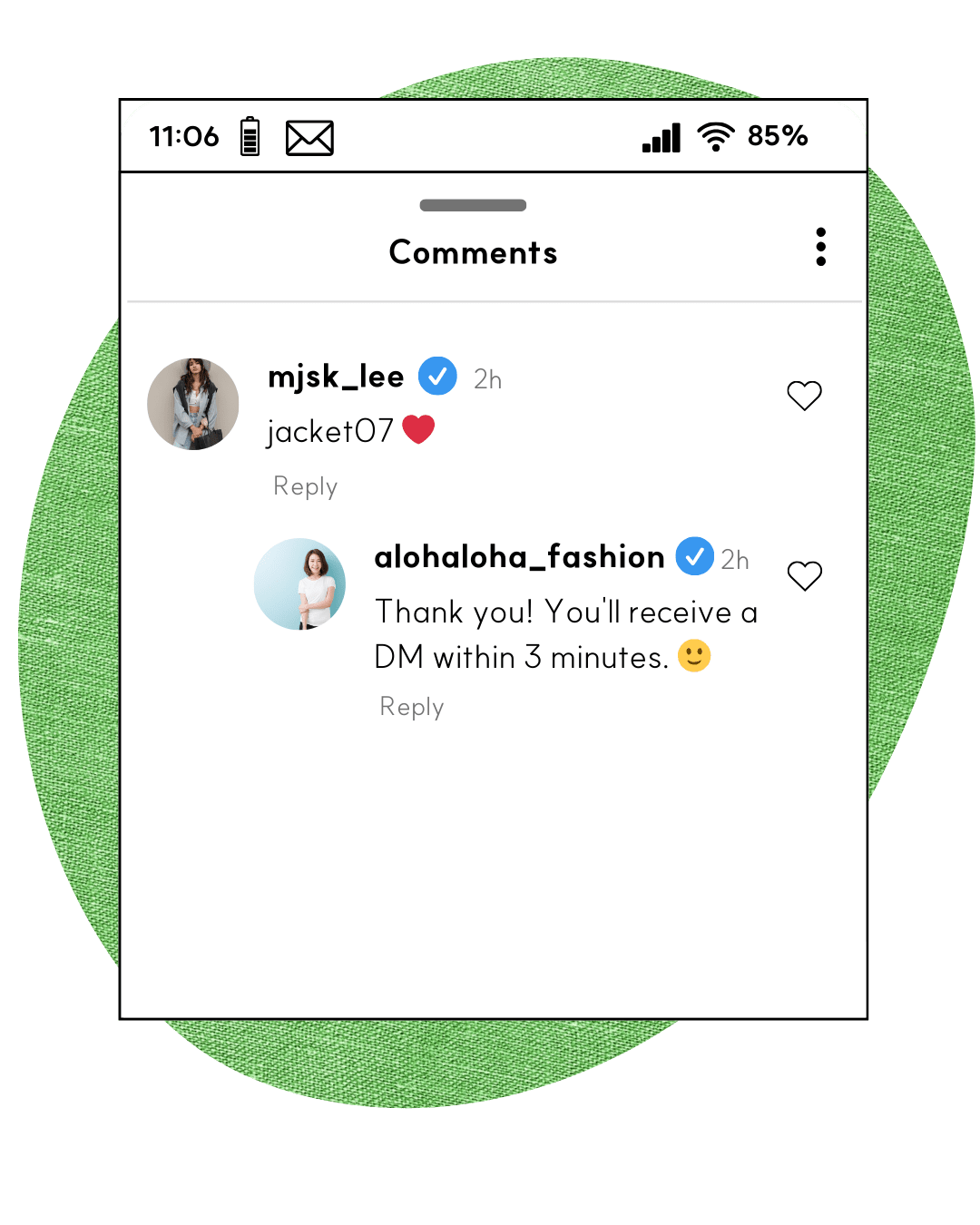
When a comment comes in, a reply is posted automatically — raising follower engagement.

  • When auto-replies raise engagement, your post’s reach grows so more people see it. 🚀
  • Register multiple auto-replies — variety is safer under Instagram’s spam policy. When a comment comes in, one is posted at random below it. 🎯
  • Add 50 built-in default replies with a single button click. ⚡
  • Auto-replies can be flagged as spam if many post in a short time. To prevent this, there’s a feature to delay the interval between replies. ⏳

🎈 To try the demo, tap the button below and type 'kittychat' on the post that appears. *If you don't follow, the DM may land in “message requests.”
Go to the auto-DM demo →
Auto-reply example
Detects follow status

3. Grow your follower count

Reveal content on the condition of a follow, and grow your followers.

  • The auto-DM is sent to everyone first, but the message shown after the button click is displayed based on follow status.
  • Non-followers are shown a message requesting a follow.
  • When they tap the button again, followers see the content; if they still haven’t followed, a follow is requested again.
Learn more
Diversify messages with AI

4. Safer auto-DMs – AI variation

Sending slightly different auto-DMs to each person is safer under Instagram's spam policy than sending the exact same message.

  • OpenAI's AI sends a slightly different version of the message to each person.
  • The original content and links stay intact, while words, line breaks, emojis, and more are varied.
  • Enter [username] and the follower's name is inserted there — or their username if no name is available.

🎈 To try the demo, tap the button below and type 'balance' on the post that appears. *If you don't follow, the DM may land in “message requests.”

Go to the ‘AI variation’ demo →
Auto-DM & reply delay

5. Safer auto-DMs – time delay

Use the right volume and timing for auto-DMs & auto-replies to run automation more safely.
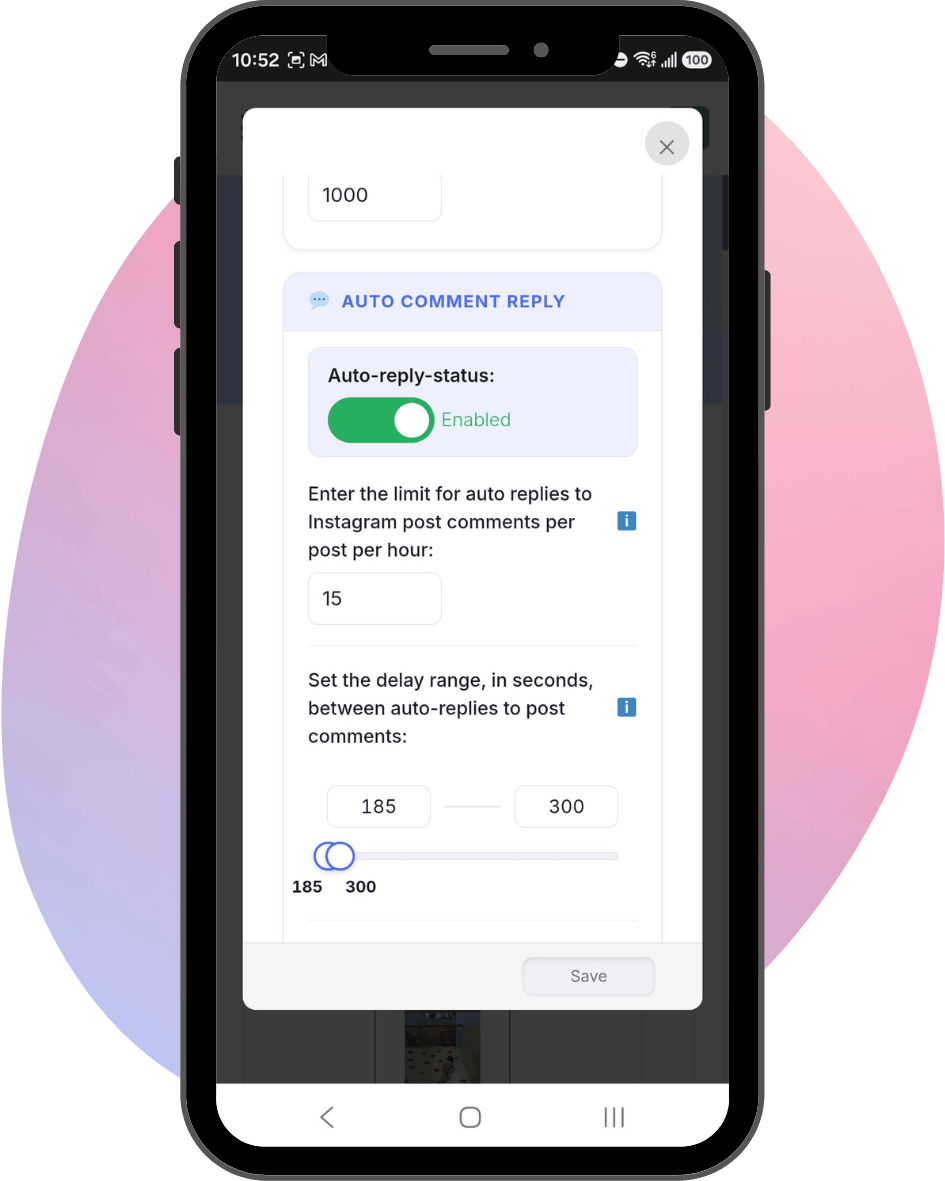
  • Settings for safe auto-replies:
    1. Auto-replies allowed per Instagram post
    2. Auto-replies allowed per hour, per post
    3. A minimum delay between auto-generated replies
  • For auto-DMs, set the number allowed per hour and the delay between each auto-DM is set to match.
Learn more
Time delay settings example
Instagram restriction warning system

6. Safer auto-DMs – early warning

Kittychat detects Instagram restriction risk in advance and notifies you by email.
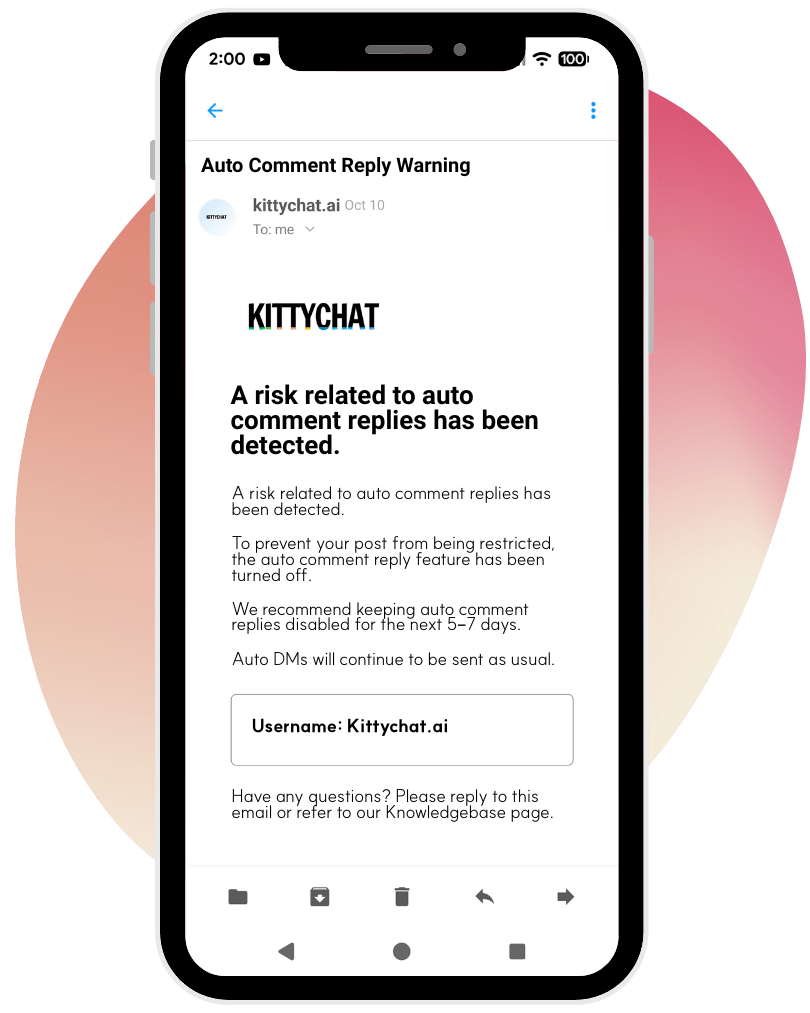
  • If a large volume of auto-replies is posted in a short time, Instagram may treat it as spam, which risks blocking the auto-DM feature too.
  • Kittychat detects Instagram's risk signals in real time 🚨, notifies you, and immediately raises the delay between auto-replies to 600 seconds.
  • On the third risk signal, it stops the auto-reply system immediately.
  • Even if the auto-reply system stops, the auto-DM system keeps working normally, so DM requests continue without issue.
Learn more
Restriction warning system example
Prompt action now

7. Bulk DM sending

Send a bulk DM to people who interacted with you through the features above in the last 24 hours.
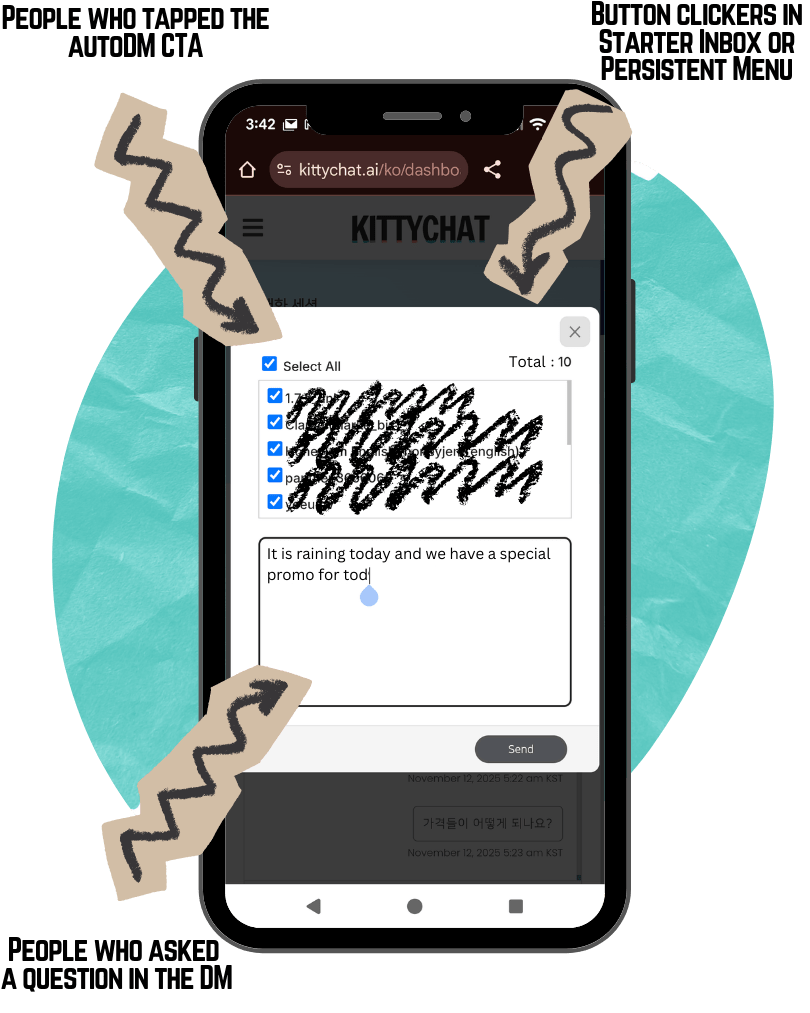
  • You can send a bulk DM for 24 hours to followers who clicked a button in a message, asked a question, or tapped the FAQ button in a DM.
  • It reads like a personally sent DM, not a mass email.
  • Messages land in the “Primary” folder, so recipients get a phone notification.
Learn more
Bulk DM sending example